Solids
The Solids page contains settings options related to 3D bodies (solids, surfaces, and shells).
Dialog Options:
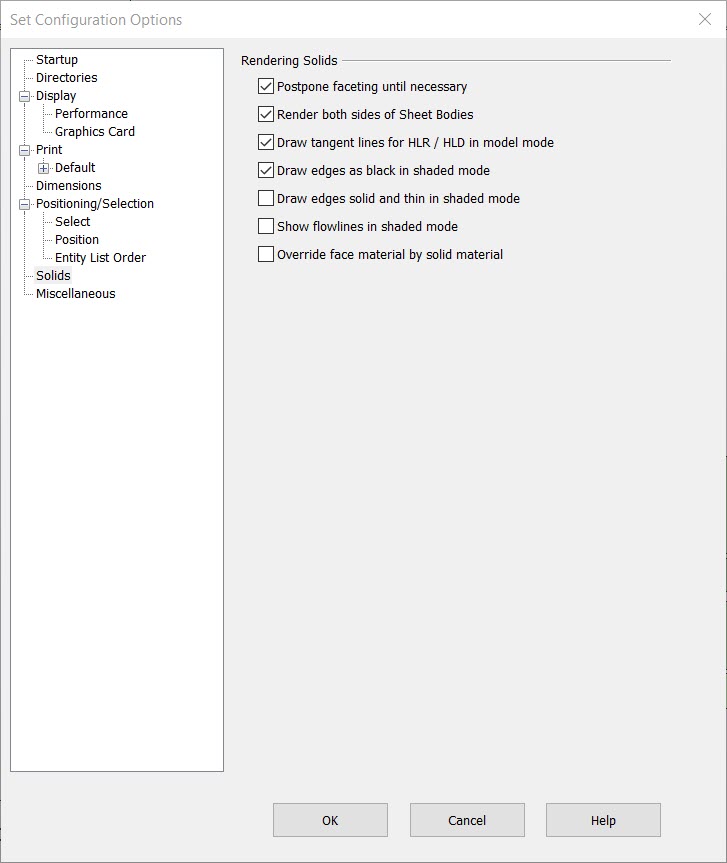
Rendering Solids
-
Postpone Faceting Until Necessary – When disabled (unchecked), any facets within a solid will update immediately when the solid is modified. When this setting is checked, the facets are discarded when a modeling operation is performed on the solid. They are recomputed when they are needed for a rendering operation. This will cause a dramatic increase in time required to accomplish a rendering operation, such as switching from a Wireframe rendering mode to Hidden Line or Shaded. This will also create a state in the Undo system, causing the loss of all forward states that might exist. No facets exist in a modified solid that has not been re-faceted when the part is saved. As a result, no facets will be saved to the design file. The solid will need to be re-faceted when the part is next opened.
-
Enabling this setting while parts are open will cause any un-faceted solids to be faceted, creating a state in the Undo system. For this reason, this setting cannot be changed when the page is accessed during a modeling operation.
-
Render both sides of Sheet Bodies – When selected, will allow for both sides of Surfaces to be fully rendered.
-
Draw Tangent Lines for HLR/HLD in Model Mode – When selected, edges that exist between two tangent faces will appear in the HLR/HLD rendering modes.
-
Draw Edges as Black in Shaded Mode – When selected, all edges and flowlines will be displayed in black in the Smooth with Wireframe mode (default), if off the edges are displayed in the color used to create the solid.
-
Draw Edges as solid and thin in Shaded Mode – When selected will keep solid edges set to a thin solid line width of 1 regardless of solid Attributes line settings. Using this method with solid line Attributes set to above 1, (as set in right click Solid>Format for example) will show hover highlighted edges as extra thick.
-
Show Flowlines in shaded Mode – Enabled will show any flowlines that exist in solid when rendered as shaded.
-
Overide face material by solid material– Enabled any solid material applied to a solid will overide indivual face materials set on a solid.