Verify Server Setup
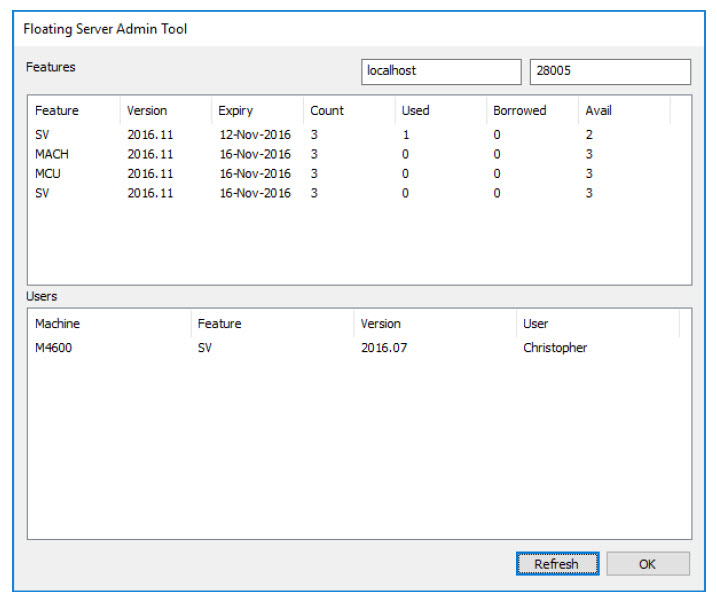
The Network Administrator can check the status of activated floating license(s) on the server using the Floating Server Admin Tool program installed with the Network Administration Kit.
Run KCFloatingAdmin.exe utility from the KCNetAdmin folder.
License features with used and available counts are listed in the top section. Active users and which features they are using are listed in the lower section.