Manipulate View Window

Use the Manipulate View function to display geometry through a Bird’s Eye window. Through this dialog, you can toggle synchronization, autoscale settings and the active mode.
Window Options:
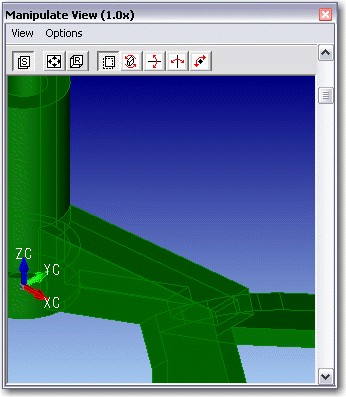

Buttons, from left to right:
-
Synchronize – Click to toggle synchronization
-
Autoscale – Click to autoscale the view
-
Reset – Click to reset the view
-
Mode – Click to pan, free rotate, View X, View Y and View Z