Importing an Autodesk Inventor® File
Importing an Autodesk Inventor® File
Follow the steps below to import an Autodesk Inventor file (*,jpt).
Importing an Autodesk Inventor File:
-
Click File>Import>Autodesk Inventor. The Select an Autodesk InventorFile To Import dialog appears. Through this dialog, you can specify what Autodesk Inventor file you wish to import.
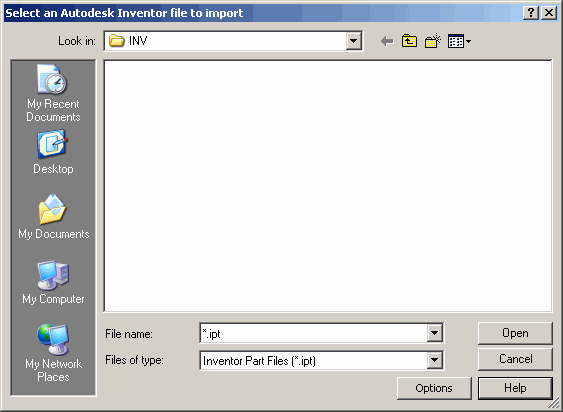
Browse for the (*.ipt) file you wish to import. When it appears in the File name field, click Open.