Structural Shapes and Mechanical Elements Setup
Structural Shapes and Mechanical Elements Setup
Each Structural Shapes dialog contains a Settings tab. This tab, identical across for all shapes, can be used to specify the unit type for the shape, as well as controlling whether the shape is created as a Mech Elem object.
Note that the dialog allows you to enter values that do not create a valid shape. But when you do so, an error message ("The entered values do not make a valid beam") appears on the dialog with a Reset button. Clicking the Reset button restores the last set of valid values in the dialog and makes the error message disappear.
Dialog Options:
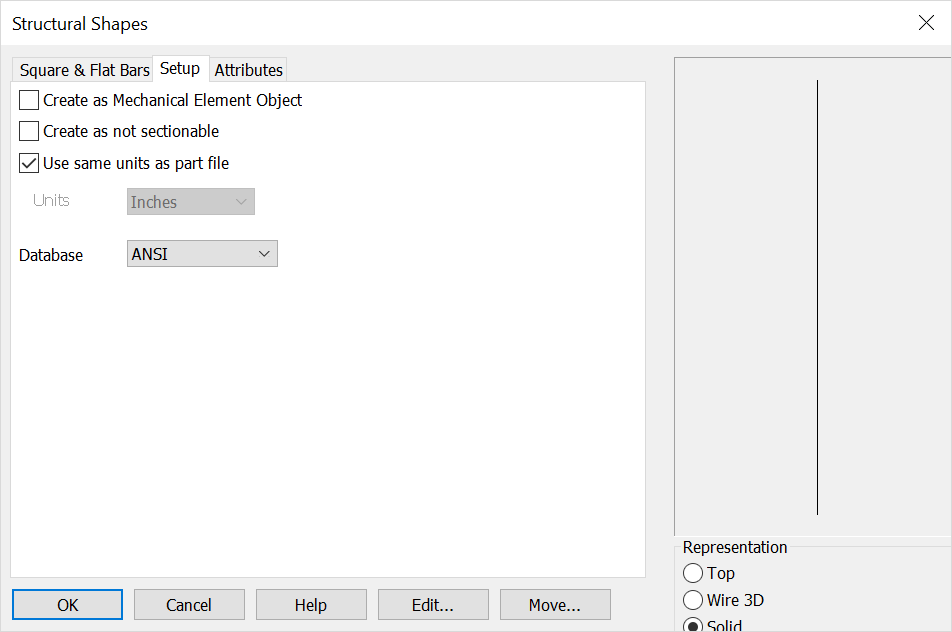
Create as Mech Elem Object
If enabled, shape entities will be grouped together to create a unique Mech Elem object. If left unchecked, shapes will be created as individual entities.
Create as not sectionable
Checked on will set the structural shape or mechanical element in a 'not to be sectioned' mode in any model mode or Layout Section operation. This mode can be toggled on/off by selecting shape and right click context selecting Format>Render.
Use Same Units as Part File
Checked on the units of the object will follow that set for the part in File>Properties>Units/Tolerance. When unchecked you can define units from the drop down menu. Note that any detail work (such as creating a linear dimension) will follow the detail units set in Detail>Settings>Options>Primary units.
Units
Choose a unit standard from the pull-down list.
Database
Choose the ANSI or AISC as available.