HLR

Location: Tools>Extract>Extract HLR
This function is similar to the Save HLR to Level feature in previous versions. It can be used to project flat geometry to the active depth on the active level, using the Hidden Lines Removed display style. Entity attributes are maintained.
After configuring the dialog options, you are asked to select the geometry, or instance, to extract. If non-solids entities are selected, they are only projected. No attempt is made to apply faceting to them.
Using the Function:
-
Select Extract HLR from the Tools>Extract submenu.
-
The Extract Hidden Lines Removed Geometry dialog appears (see above). Configure the available dialog settings, and click OK.
-
Select the entities for HLR calculation.
Dialog Options:
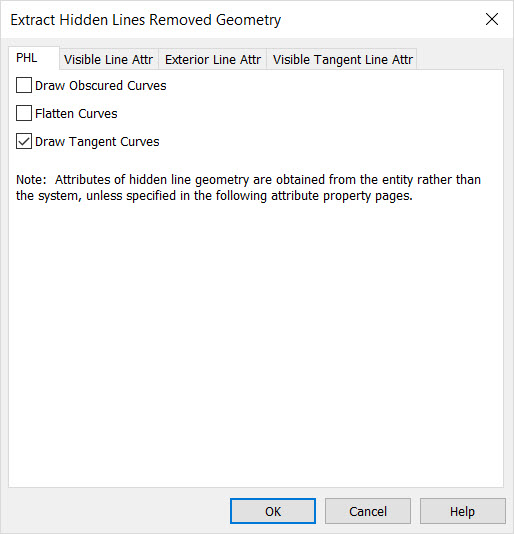
The PHL Tab Options
These options control how the hidden line renderings are processed by KeyCreator.
-
Draw Obscured Curves – Enable if you wish to draw curves which are obscured (and therefore not visible in the hidden line representation). Unchecked, the curves will be omitted.
-
Flatten Curves – Enable if you wish to project and flatten curves to the current construction plane/depth.
-
Draw Tangent Curves – When checked, a tangent curve is drawn. A tangent curve is an edge that is between 2 surfaces that meet smoothly, like the non-cap edges around a blend.
The Attributes Tabs
These are standard KeyCreator attributes pages that control the appearance of the various line types in the extracted Hidden Line geometry
After configuring the dialog options, you are asked to select the geometry, or instance, to extract. If non-solids entities are selected, they are only projected. No attempt is made to apply faceting to them.