On Arc

The On Arc function is used to create a point on an arc or circle. Note that the 2D/3D construction mode has no effect on this option.
Using the Function:
-
Select On Arc from the Create>Point submenu.
-
Select the arc or circle entity.
-
Enter the angle value at which you want the point to be placed on the selected entity. The point is created in the plane of the arc's depth.
NOTE: The specified angle does not need to lie between the start and end points of the arc, or within the current display plane.
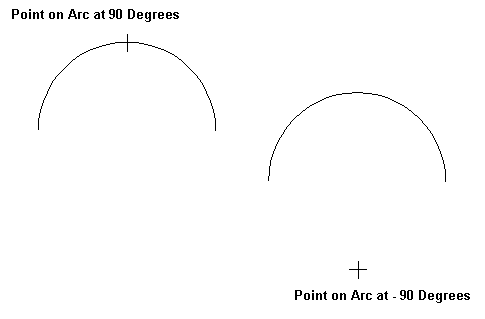
Above > Example of points created using the On Arc function