Toolbar
Overlay: Derivative on top of authority, transparency adjustable:
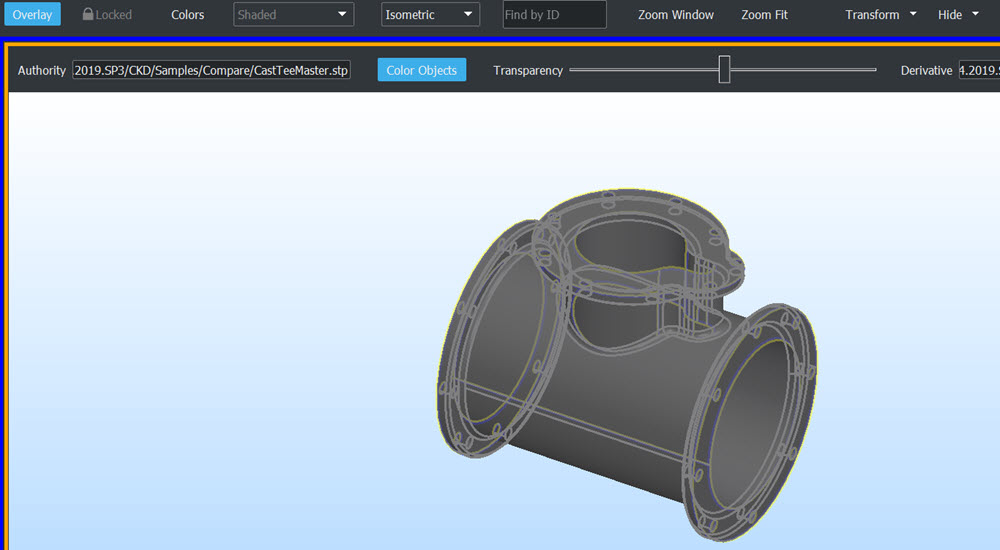
Example, Overlay on and Compare performed; differences easy to see in Overlay mode:
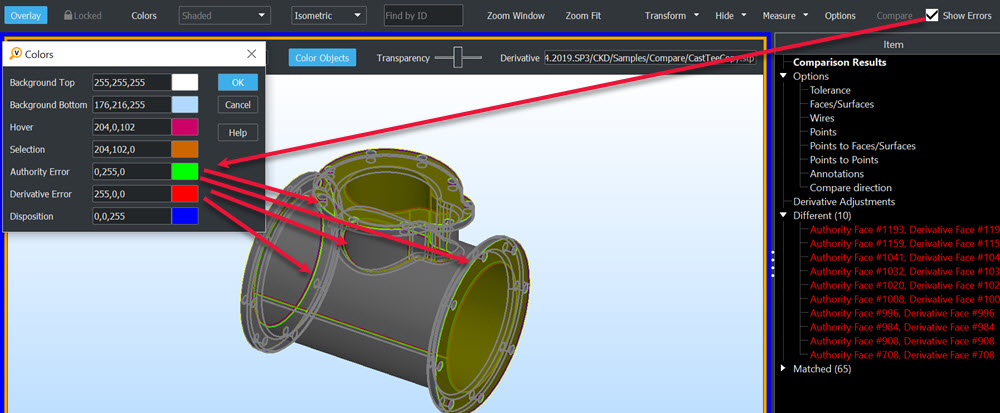
Locked: Movement and scale follow between authority-derivative.
Find by ID:
- Enabled after a Compare is done.
- Enter an ID from either authority-derivative Part Tree and its match will highlight in other display.
- Also available as right click context menu item in Part Tree, (click on face for example).
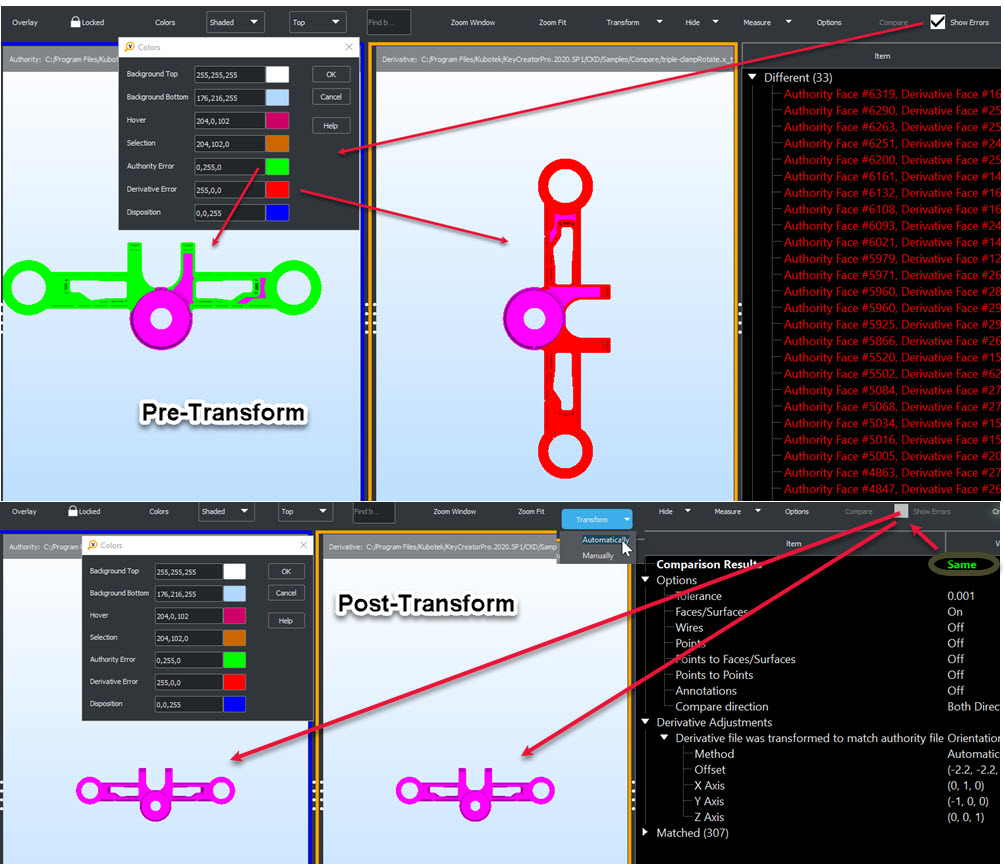
Transform: Auto or manually moves derivative to orientation of authority.
Example, exact geometry pair but 'Derivative' rotated in file (causes difference result), need to Transform:
Hide:
- Also available in Part Tree right click context menu or display right click on object context menu.
- Filter items to exclude from Compare.
Options Overview
Compare
- Results based on Options setup.
- Right click Difference item in Results Display to add Disposition to Report.
- Partial Match items can be designated as Different, right click on item in Results Display.
- Left click Difference item to highlight item in Display View.
