Results Display
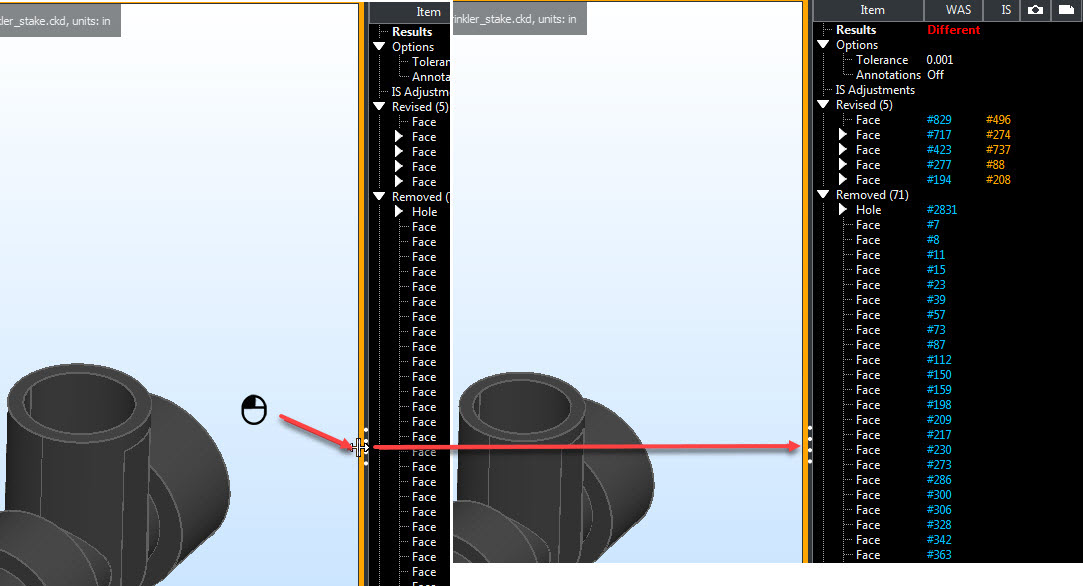
Open Results Display (After a Compare):
Results Display ID-Object Highlight:
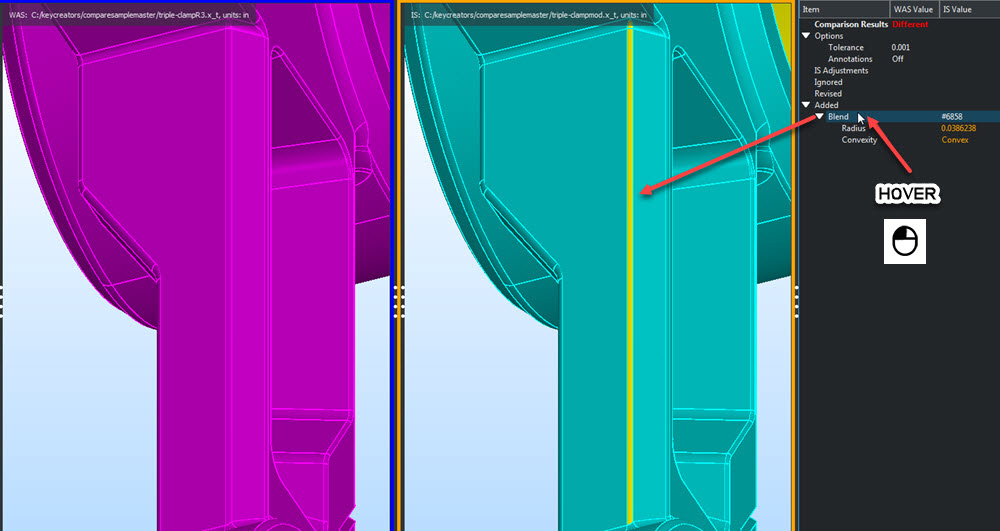
Result Item Categories
Options:
As set in Options.
Is Adjustments:
Any operation performed on IS file before starting Compare is listed here, (an auto-Transform or units no match for example).
Revised:
A feature altered in Is file compared to its match in Was file. Expand for more details.
Removed:
A missing item in Is file compared to content of Was file. Expand for more details.
Added:
Items that are present in Is file but do not exist in Was file.
As set in Options.
Is Adjustments:
Any operation performed on IS file before starting Compare is listed here, (an auto-Transform or units no match for example).
Revised:
A feature altered in Is file compared to its match in Was file. Expand for more details.
Removed:
A missing item in Is file compared to content of Was file. Expand for more details.
Added:
Items that are present in Is file but do not exist in Was file.
Affected:
Features or areas that are influenced by the Revised, Added or Removed items. These will not show in the report but are available for inspection.
Ignored:
User determined status set in right click context menu for any item for above categories. Open Report will list these items in Ignored folder.
Context Menu
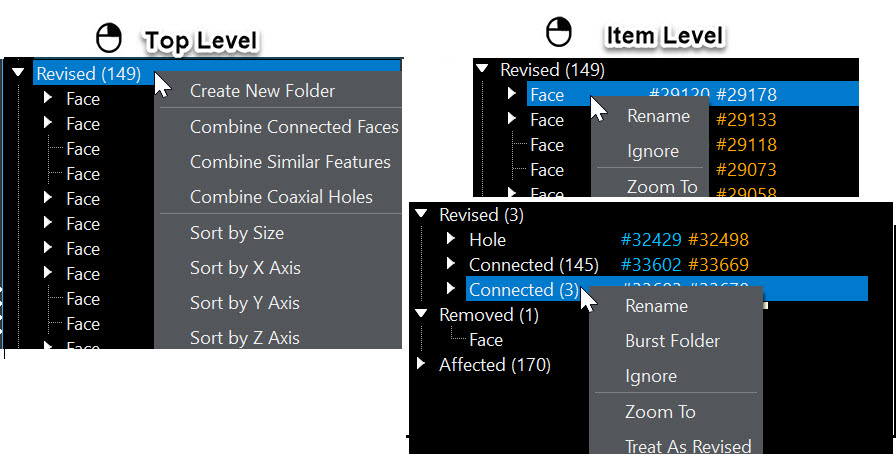
NOTE:
Use new folders and Combined items to condense content and reduce pages in Report. Creating '' Combine Connected Faces" reduces pages for Revised>Fillet and Face.
Example, Combine Connected Faces to condense the number of report pages created:
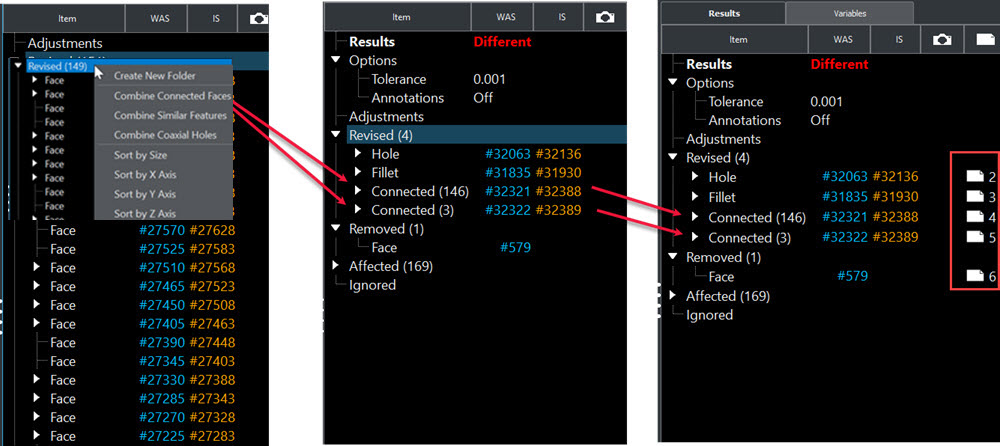
Example, select faces and context menu choose to combine into a folder:
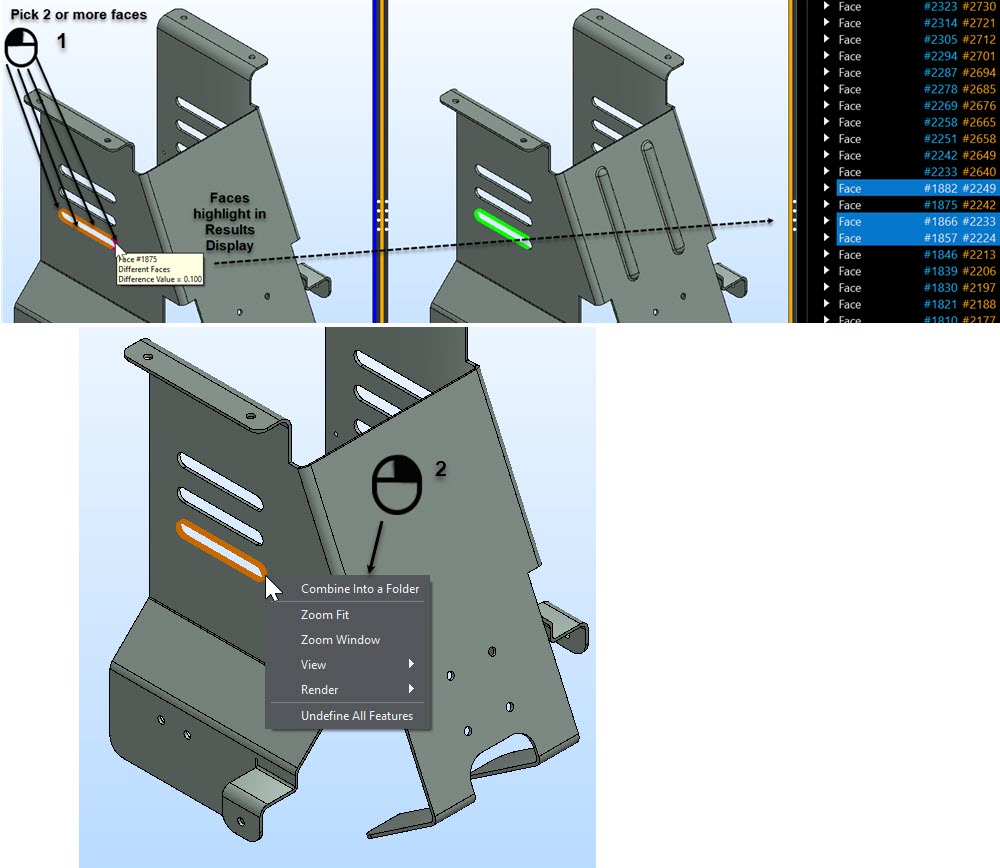
NOTE: After Combine folders are made you can rename the folder by right clicking name and use Rename.
Sorting Options:
Sort by Size — Total surface area of a face, feature or all the faces of a group. Sorts in descending order.
Sort by X Axis — Uses a box window method for faces, features or groups, lists in ascending order based on minimum point of the box along the X axis.
Sort by Y Axis — Uses a box window method for faces, features or groups, lists in ascending order based on minimum point of the box along the Y axis.
Sort by Z Axis — Uses a box window method for faces, features or groups, lists in ascending order based on minimum point of the box along the Z axis.